Medicine inventory and batch management
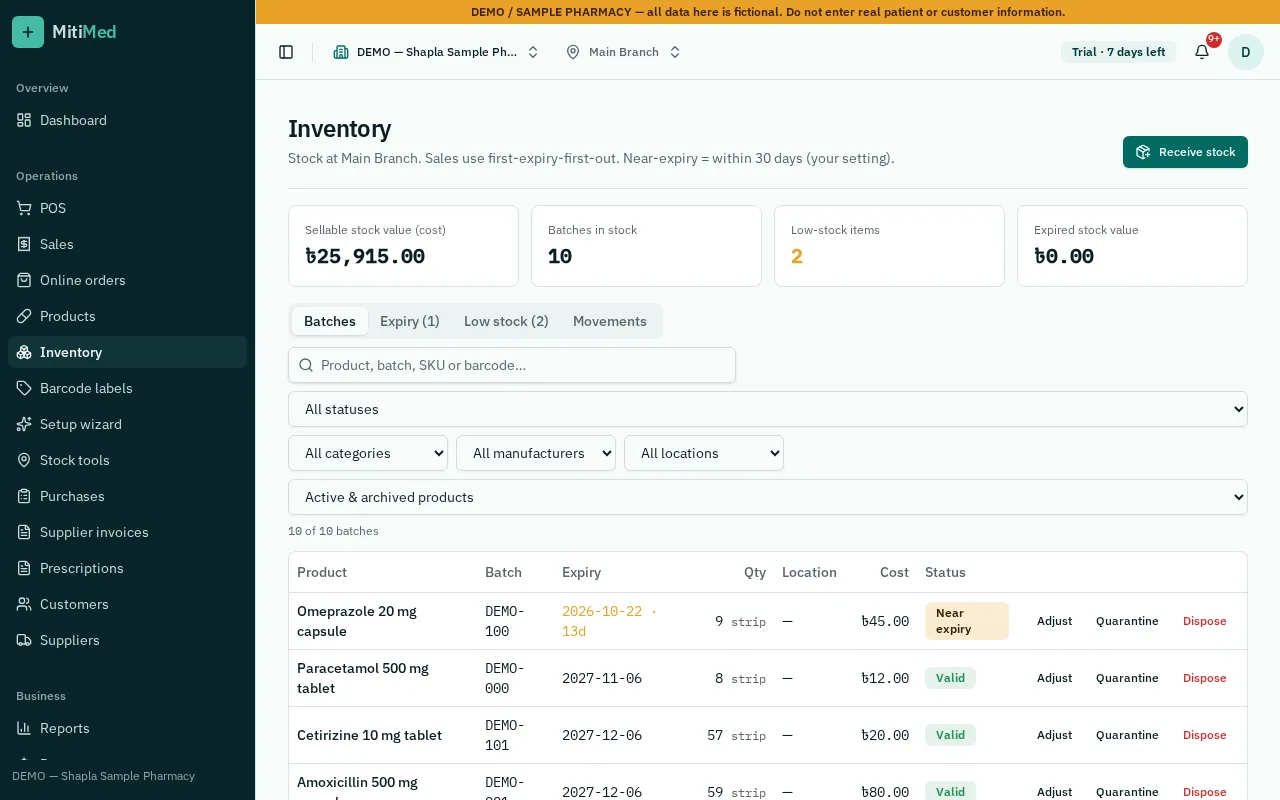
Every unit of stock in MitiMed belongs to a batch with its own expiry date, purchase cost and MRP. That lets you see exactly what you hold, where it is, what it cost and when it must be sold.
Stock you can trust
Stock changes only through recorded actions — receiving, sales, returns, adjustments and transfers — each kept in the stock history with who did it and when.
- Batch, expiry, cost and MRP per batch
- Box → strip → tablet conversion from one stock figure
- Opening stock wizard and spreadsheet import with error checks
- Shelf locations so staff can find a medicine fast
Multiple branches
Each branch keeps its own stock. Move stock between branches with a transfer that leaves one branch and arrives in the other, and limit staff to the branches they work in.
Counts and adjustments
Run a stock count, compare it with the system figure and record differences with a reason. Damage and loss are recorded separately so they show up in reports.
Bangladesh medicine catalogue
Start faster by linking products to a reference list of medicines registered in Bangladesh, including brand, generic, strength and manufacturer. Reference entries are marked for review; your own prices and stock stay yours.
How it works
- 1Add products or link them from the medicine catalogue
- 2Enter opening stock with batch and expiry
- 3Receive new purchases into batches
- 4Sell, return, transfer and count
- 5Review low-stock and stock-value reports
Frequently asked questions
Can I sell loose tablets from a box?
Yes. Set how many strips are in a box and tablets in a strip; MitiMed keeps one stock figure and converts automatically.
Can I import my existing stock?
Yes. Use the opening stock wizard or a spreadsheet import. Rows with errors are shown for correction and nothing is saved until the import is confirmed.
Does each branch see the others' stock?
Only staff with access to a branch can see its stock. Owners can see all branches.
See plans and pricing, help and FAQs or how to get started.