Pharmacy purchasing and supplier management
Buying is where pharmacy margin is won or lost. MitiMed keeps purchase orders, deliveries, supplier balances and payments together so you know what you ordered, what arrived and what you owe.
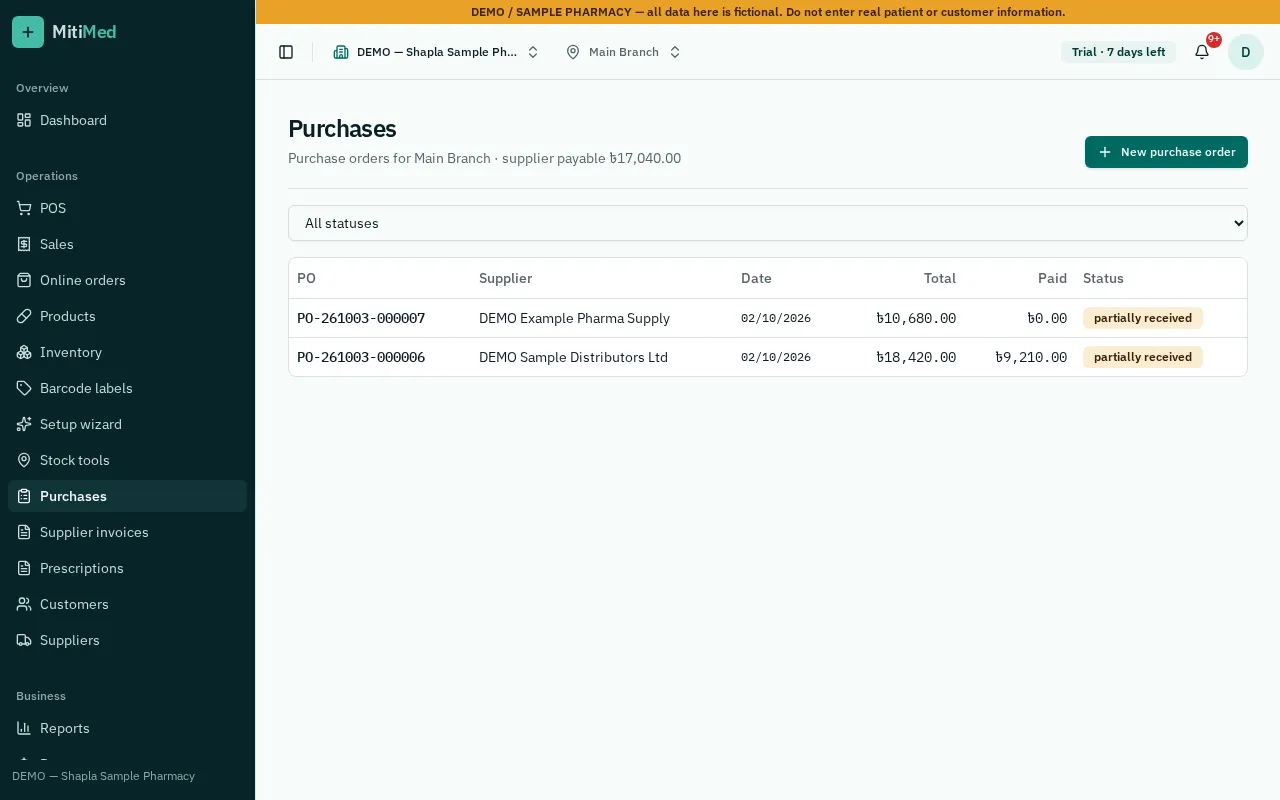
Purchase orders
Create a purchase order for a supplier, send it and track it until it is fully received. Reorder suggestions use your recent sales and current stock.
Receiving with batch and expiry
Receive all or part of an order. Each line records batch number, expiry, cost and MRP, and stock increases only when receiving is confirmed.
- Partial deliveries stay open for the remainder
- Minimum shelf-life check at receiving
- Barcode labels can be printed for received stock
Supplier balances
Each received purchase adds to the supplier's payable balance. Record payments by cash, bank or mobile banking and see what is outstanding per supplier.
How it works
- 1Create a purchase order
- 2Receive the delivery with batch and expiry
- 3Check the supplier balance
- 4Record the payment
Frequently asked questions
Can I receive goods without a purchase order?
Yes, you can record a direct purchase, but purchase orders make it easier to track what is still to arrive.
Can I read a supplier invoice from a photo?
Yes, with Supplier Invoice AI. It suggests a draft; staff check every line before anything is saved.
See plans and pricing, help and FAQs or how to get started.