Your pharmacy's own online storefront
On eligible plans, your pharmacy gets a storefront at your-pharmacy.mitimed.com. Customers browse what you choose to show, upload prescriptions and order for pickup or delivery. Orders arrive in MitiMed for your staff to check.
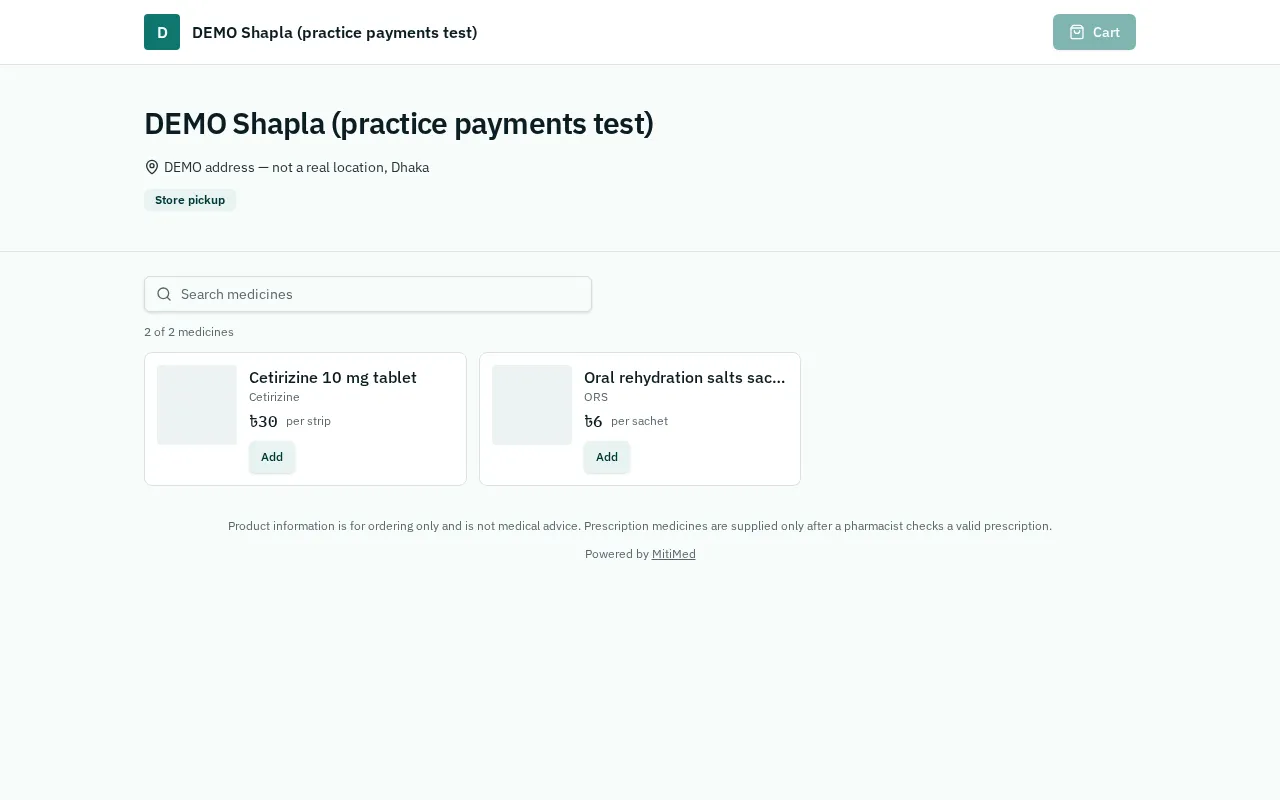
Your catalogue, your rules
Choose which products appear online and at what price. Availability is shown without revealing exact stock levels.
- Search, categories and pack sizes
- Rx-only medicines need a prescription upload
- Delivery areas and fees you set
Orders your team confirms
Each order waits for your staff to check stock and prescriptions. Stock is deducted at handover, when the order becomes a sale.
Tracking and payment
Customers get a private tracking link. They can pay at pickup or delivery, or online where available; an order is marked paid only after the payment is confirmed on our server.
Separate and secure
Each storefront shows only its own pharmacy's public information. Customers never see another pharmacy's data or your internal records.
How it works
- 1Turn on the storefront and choose your web address
- 2Select products and prices to show
- 3Customer orders and uploads a prescription
- 4Staff confirm and prepare the order
- 5Hand over; stock and sale are recorded
Frequently asked questions
Which plans include the storefront?
Storefront availability depends on your plan. See the pricing page or contact us for the current plan list.
Can I use my own domain?
Custom domains are planned for eligible plans but are not available yet.
See plans and pricing, help and FAQs or how to get started.